
All drones weighing at least 250 g must be registered. This includes custom-built drones and drones built from a kit or off-the shelf.
Drones under 250 g do not need to be registered unless something is attached to it that increases its weight to 250 g or more.
Marking your drone
You must clearly mark your drone with its registration number.
You can use:
- permanent marker
- permanent label
- engraving
We also recommend including your name and contact information.
Penalties
If you fly a drone without meeting these requirements, you may be fined. Fines are:
- $5,000 for recreational users
- $25,000 for commercial users
Benefits of registration
- If you lose your drone, registration may help in returning it to you if it is found
- If there is a status change to your drone’s safety assurance declaration, you may be notified
- If there is a recall from the manufacturer, we may be able to notify you
How to register your drone
Individuals and businesses can register their drone through the Drone Management Portal.
Registering your drone as a foreign pilot
Foreign pilots or operators can’t register drones. You need an SFOC-RPAS to comply with the Canadian Aviation Regulations (CARs).
What you need before you start
It should take 3 minutes to register a drone. To begin, you will need the following information:
- purchase date (if applicable)
- make, model, serial number and type of drone
- a Visa®, Mastercard®, or American Express® credit card, Apple Pay® or Google Pay®
- Debit cards may be used if added to your Apple Wallet® app, or Google Pay® app
Fees and service standards
| Service | Fee | Service standard |
|---|---|---|
|
Issuance of a certificate of registration |
|
Online service available immediately |
Learn more about the Service Fees Act.
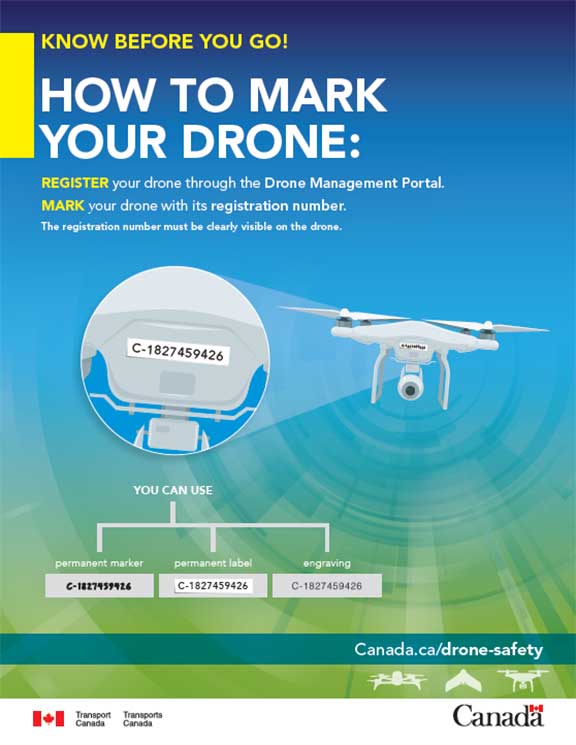
How to Mark Your Drone
(PDF 443 Kb)
Text description
Know before you go!
How to mark your drone:
Register your drone through the Drone Management Portal
Mark your drone with its registration number.
(Image of a drone and zoom in on its registration number: C-1827459426)
The registration number must be clearly visible on the drone.
You can use:
- permanent marker
- permanent label
- engraving